👥
Class & parent groups
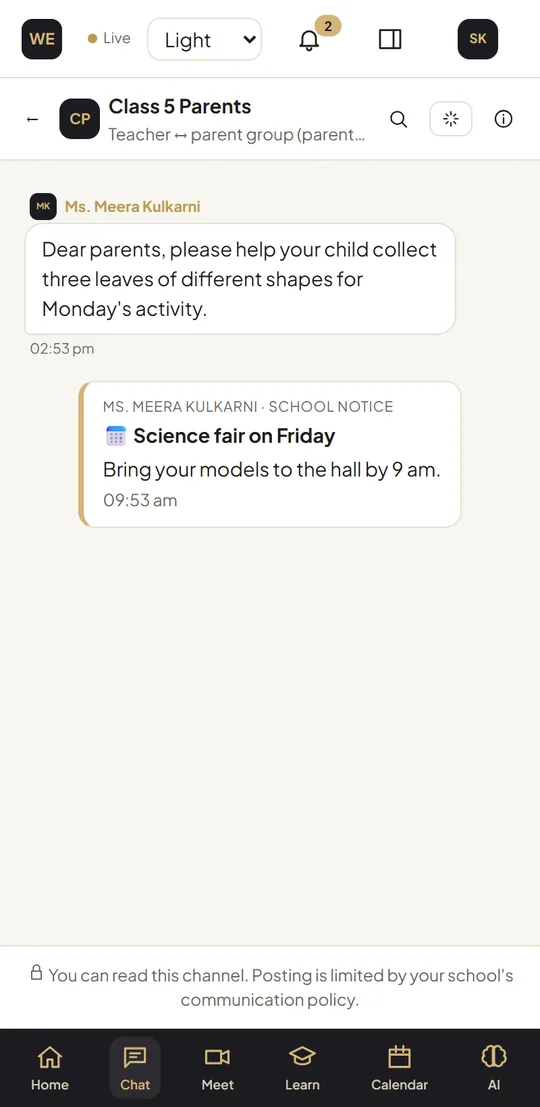
Every class gets a supervised class group and a parents group automatically — kept in sync with your class lists.
Netra Calls brings students, parents, teachers and the principal into one private school app — class groups, personal chat, audio calls, fee reminders, school notices and an AI study companion. Only your school. No strangers. No ads.
Teachers share personal numbers. Circulars get buried under forwards. Anyone can be added. Fee reminders go unread. Nobody can see if a child is being bullied. Netra Calls fixes all of it — in one app the school controls.
From the morning circular to the evening homework doubt — every conversation has a safe, organised place.
Every class gets a supervised class group and a parents group automatically — kept in sync with your class lists.
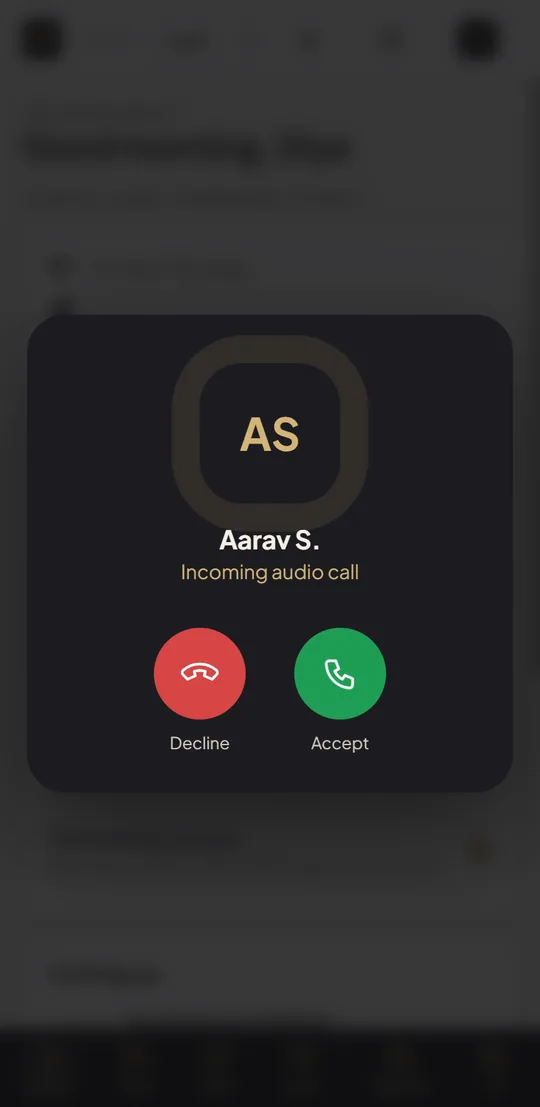
Call a teacher, a parent or a friend with a tap. Full-screen ringing with Accept and Decline, and a call log in the chat.
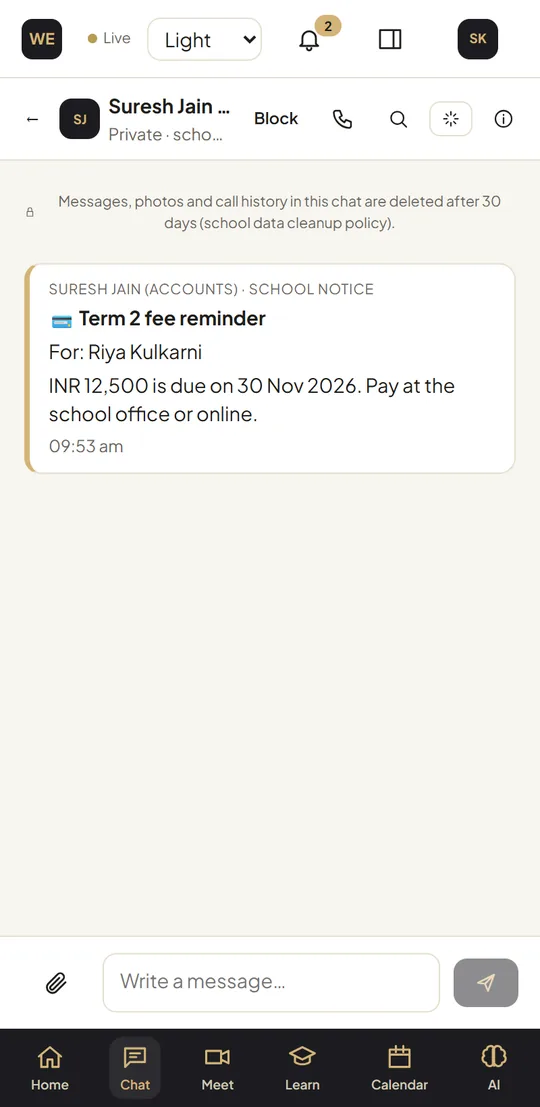
The office sends reminders straight from your school website or ERP into each parent's private chat — the child never sees them.
When a teacher posts an event or homework on the school website, it lands instantly in the right class group, from that teacher.
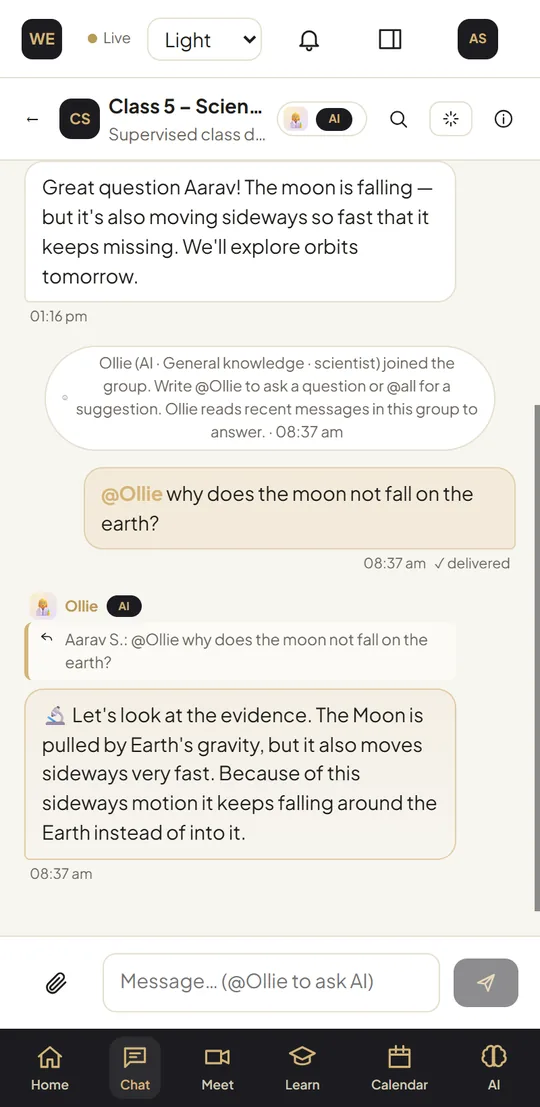
Add an AI with a name, gender, subject and personality. Ask with @its-name; type @all for a suggestion for the group.
Video meetings with waiting room and host controls, plus parent–teacher meeting slots parents can book themselves.
Share photos (location data removed automatically), share your location on request, and pick an avatar or photo.
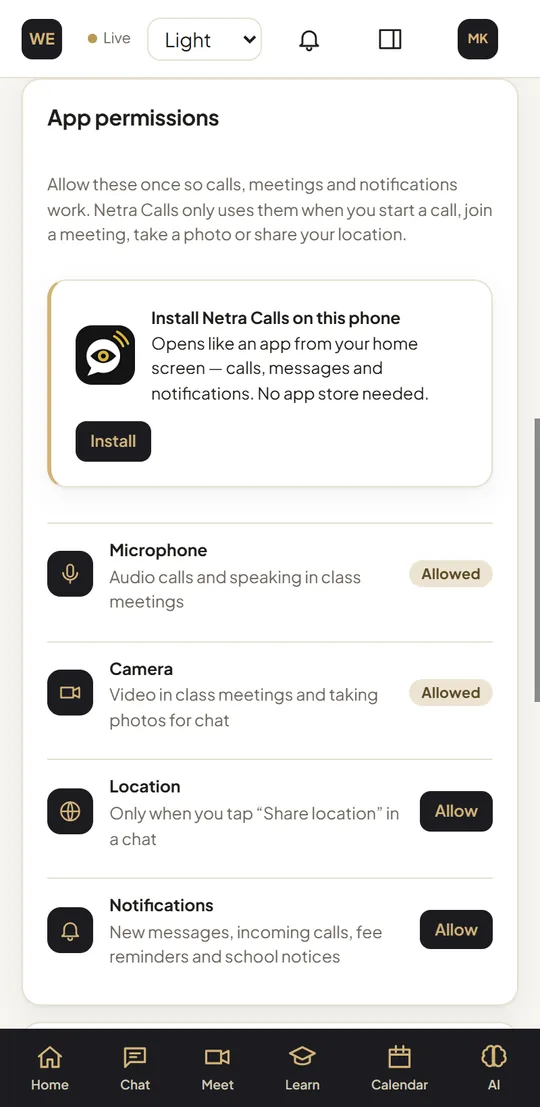
Install from the website on any phone — no app store. Messages, calls and notices arrive as phone notifications.
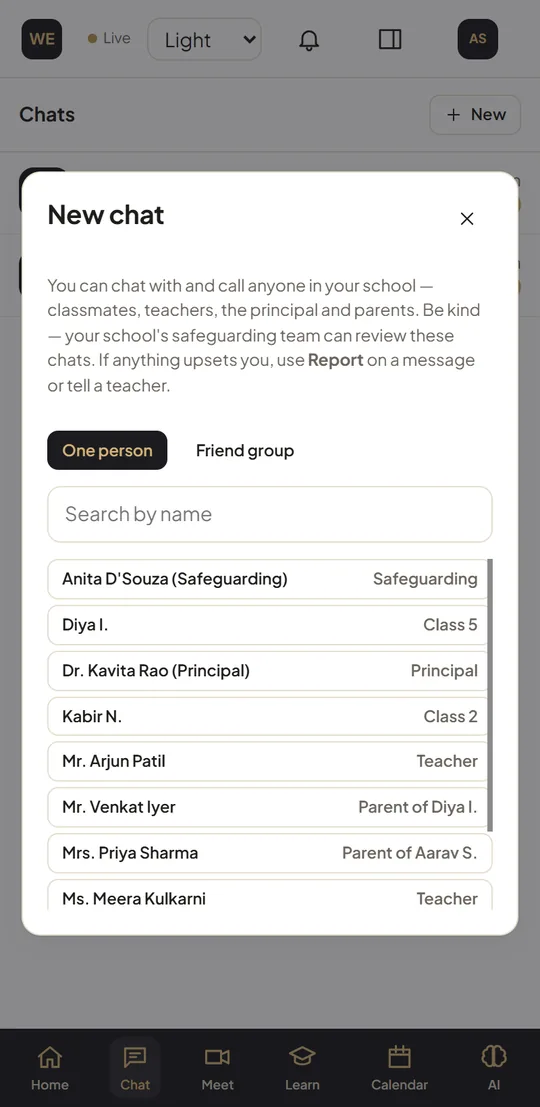
If your families can use a chat app, they can use Netra Calls. Real screens from the app:
Netra Calls' HyperClass Brain answers from your teachers' approved notes and shows its sources. When the notes don't cover something, it says so instead of guessing.
Netra Calls is a private network for one school at a time. People join only when the school adds them — and nobody outside can find, message or call anyone inside.
Teachers keep using your school's website. When they post an event, homework or notice — or when the office triggers fee reminders — Netra Calls delivers it to the right class group or parent's private chat, with a phone notification. Signed, secure and duplicate-proof.
You don't need an IT team. We set up your school and help you bring everyone in.
Fill in the form below and our team will get in touch.
NetraInno creates your school, classes, branding and policies with you.
Upload one spreadsheet of students, parents and staff. Print a slip for every family.
Everyone installs from the website, chooses a password and joins their class groups.
Wonder Education Public School is the first school to bring its students, parents and teachers onto Netra Calls — with class groups, school notices from its website, private fee reminders and AI-supported learning.
No. Netra Calls installs straight from the website on Android (Chrome, Samsung Internet, Edge) and iPhone (Safari → Add to Home Screen). It opens full-screen like any app and sends notifications.
No. The school gives every student, parent and teacher a login ID. Personal phone numbers are never shown to anyone.
Never. Each school is a closed loop. Only people your school adds can see or contact each other.
Chats that include a student are supervised: your school's safeguarding officers can review them, and students are told this in the app. Messages are also checked automatically for bullying and danger signs.
It answers from your teachers' approved notes, shows sources, and says when it doesn't know. Replies are labelled AI, checked for safety, and personal details are removed before any AI model sees a message. Schools can turn AI off or use a local model only.
Yes. Your website or ERP sends a signed message to Netra Calls; notices appear in class groups and fee reminders in each parent's private chat with the school office.
Personal chats are cleaned up automatically after 30 days (schools can choose 7–90 days). Messages under safeguarding review are kept until the case is closed.
Register below. NetraInno will contact you, set up your school, import your people from a spreadsheet and help you launch.
Tell us about your school. Our team will contact you to set up your workspace and plan your launch together.
Prefer email? Write to info@netrainno.ai